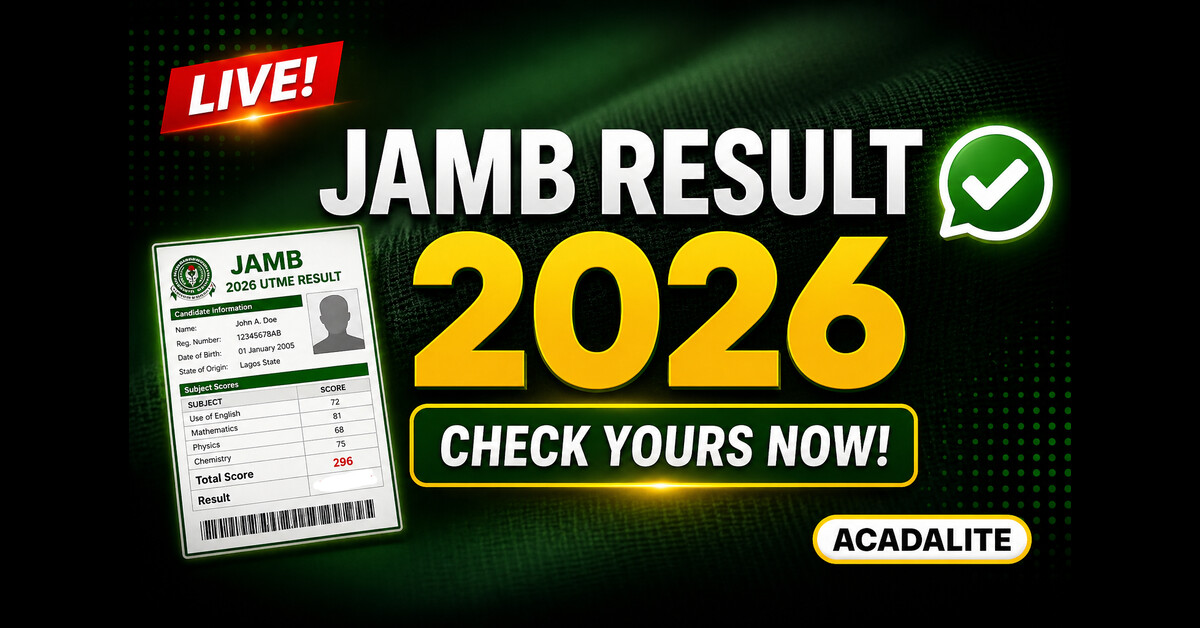
The wait is finally over. If you sat for the 2026 UTME, the most important question right now is how to check JAMB result 2026 quickly and without making mistakes. One wrong step and you get an error, a blank response, or worse, you waste your airtime with nothing to show for it.
This guide covers both official methods available right now. The SMS method is active today and does not require internet. The online portal is coming soon and will allow you to view and print your full result slip. Read through completely before you attempt either method.
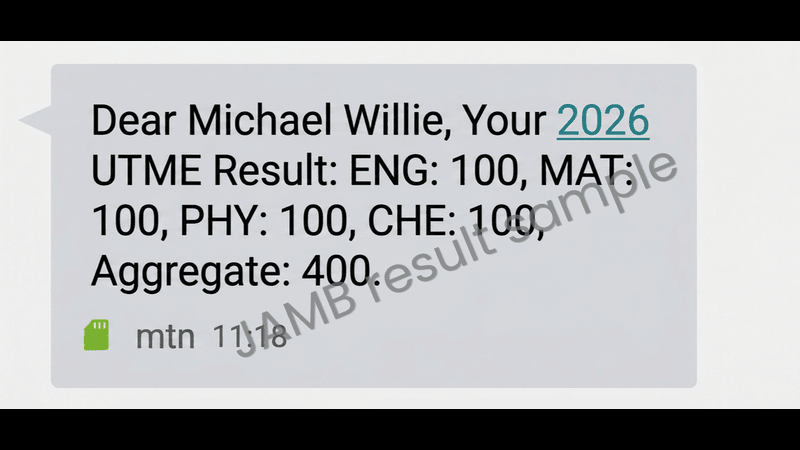
Table of Contents
How can I check my JAMB result 2026?
You can check your JAMB result by sending UTMERESULT to 55019 or 66019 using your registered phone number. The result will be sent to you via SMS within minutes.
How to Check JAMB Result 2026 with SMS
Learning how to check JAMB result with SMS is the fastest and most reliable option available right now. It works without internet, works on any network, and your score comes back within minutes. This is the only method JAMB has activated as of today.
Here is exactly how to do it:
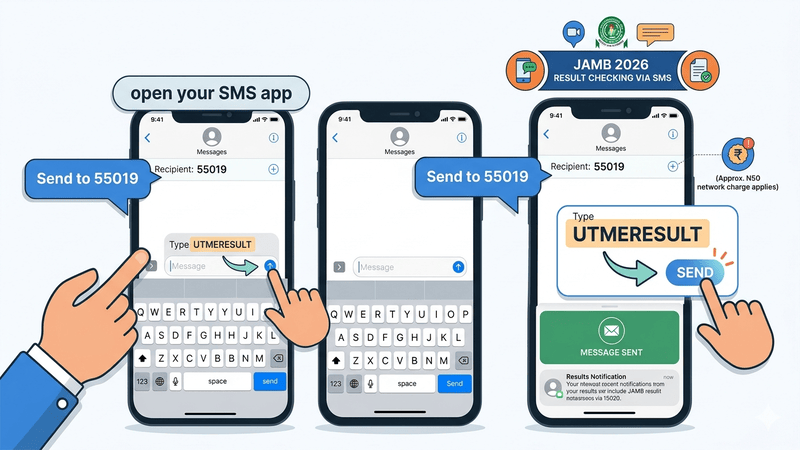
- Open your SMS app.
- Type UTMERESULT as one single word. No spaces, no full stop, no extra characters.
- Send it to 55019 or 66019.
- Wait 2 to 5 minutes. Your result will arrive as an SMS reply.
Before you hit send, confirm these three things:
First, you are using the correct SIM. It must be the exact phone number you used when registering for JAMB. Not your second line. Not a sibling’s number. The same SIM linked to your JAMB profile. Any other number will return no result.
Second, you have enough airtime. The fee this cycle has moved from ₦50 to ₦100 based on reports from candidates across multiple networks. JAMB has not made an official statement about the increase, but load at least ₦100 to avoid a failed attempt.
Third, your network is stable. The shortcode works on MTN, Glo, Airtel, and 9mobile. If your network is poor, move to an area with better signal before sending.
Forgot your JAMB registration number? Send the word RETRIEVE to 55019 from your registered number. JAMB will send it back to you.
One important warning: JAMB has stated clearly that altering or doctoring the SMS result you receive is a criminal offence. Do not change your score in the message before sharing it, even as a joke. The consequences are serious.
How to Check JAMB Result Online via the E-Facility Portal
If you prefer a full digital breakdown of your result, here is exactly how to check JAMB result online using your phone or PC. This method is not active yet for the 2026 cycle, but it is the method you will use for printing your official result slip once it opens.
When the portal goes live, follow these steps:
- Visit the official JAMB result checker portal at JAMB Result Checker Portal
- Enter your JAMB Registration Number or the email address linked to your profile.
- Click “Check My Results.”
- Your result will display on screen with your full details including your passport photograph.
Based on previous years, JAMB activates the online portal 1 to 2 weeks after the final exam day. Since the 2026 UTME ended on April 23, expect the portal to go live between early and mid-May 2026.
We will update this page the moment it opens. Bookmark it now so you do not miss the announcement.
Note on how to check JAMB result with email: When the portal opens, you can log in using either your registration number or your registered email address. Both options lead to the same result page.
JAMB Result Checker 2026: Troubleshooting Common Issues
Sometimes, even when you know how to check JAMB result correctly, the system returns an error or an unexpected message. Do not panic. Here is what each response means and what to do about it.
“Result Not Available” or “No Result Yet”
This is the most common response for candidates who wrote recently. JAMB releases results in daily batches, not all at once. If you wrote your exam in the last 24 to 72 hours, your batch simply may not have been processed yet.
What to do: wait at least 48 hours from your exam date and try again. If 72 hours have passed and you still see nothing, double-check that you are using the correct SIM and try once more.
There is also a specific case for underage candidates. JAMB has confirmed that results for candidates who will not be 16 years old by September 30, 2026 are being held back pending a screening process. Only those who score 320 and above will be considered for release after that screening.
“Invalid Entrance”
This error almost always means the SIM you used to send the SMS is not the one linked to your JAMB registration profile. Go back to your registration details, confirm the correct number, and try again with that line.
If your airtime ran out during the attempt, recharge and try again. A failed send due to low airtime can sometimes produce this message.
“Result Withheld”
A withheld result is different from a delayed one. It means JAMB has flagged your result for manual review. This can happen due to suspected malpractice, biometric issues, center-wide investigations, or technical problems during your session.
This does not automatically mean you did something wrong. Many innocent candidates have results withheld due to issues at their CBT center. Read our full guide on JAMB withheld results for detailed steps on what to do next.
No Response at All
If you sent the SMS and received nothing after 10 minutes, your network may have had a temporary issue. Try again. If the problem persists across multiple attempts, try the other shortcode. If 55019 is not responding, try 66019, and vice versa.
What to Do After Checking Your JAMB Result
Once you have confirmed your score, the work is not over. Here is what comes next.
Print Your Official Result Slip
The SMS result shows your score but it is not an official document. The printable result slip, which includes your passport photograph and full exam details, is what most institutions request during post-UTME and screening exercises.
Result slip printing becomes available through the e-Facility portal once it goes live in May 2026. The printing fee is approximately ₦1,500 to ₦2,000, paid directly through the portal. You can print at any accredited JAMB CBT center.
Do not pay anyone outside official channels to print it for you. Walk into any accredited center, pay through the portal, and collect your slip directly.
Check Your JAMB CAPS Status
CAPS is the Central Admissions Processing System. This is where your admission is processed once your institution begins reviewing candidates. Log in at the e-Facility portal and monitor your status regularly once admission season begins.
The statuses to watch for are AIP (Admission in Progress), Recommended, and Admitted. We have a full explanation of each status in our JAMB 2026 Latest Updates page.
Upload Your O’Level Results
This is the step most candidates delay and regret. No institution can admit you through CAPS without your WAEC, NECO, NABTEB, or GCE results uploaded to your JAMB profile.
Do this as soon as possible at any accredited JAMB CBT center. Bring your original result certificate, your registration number, and your registered SIM.
Do not wait until your school starts processing admissions before you do this. Upload early and remove that barrier completely.
Frequently Asked Questions
How do I check my JAMB result 2026?
Type UTMERESULT and send to 55019 or 66019 using the SIM you used to register. Make sure you have at least ₦100 airtime. Your result will come back within 2 to 5 minutes.
How to check JAMB result online?
Visit JAMB’s e-Facility, enter your registration number or email, and click Check My Results. The portal is not yet active for 2026 but will go live in early to mid-May.
Can I check my JAMB result without my registration number?
Yes. Send RETRIEVE to 55019 from your registered number and JAMB will send your registration number back to you. Then proceed with the normal SMS check.
Why is my JAMB result not showing after I sent the SMS?
Your batch may not have been released yet. Wait 48 to 72 hours from your exam date and try again. Also confirm you are using the correct SIM.
How to check JAMB result for free?
There is no completely free method. The SMS option costs N100 in airtime. The portal, once active, is free to view but printing the slip carries a fee.
What does “Result Withheld” mean when I try to check JAMB result?
It means your result has been flagged for review. Read our full guide on why JAMB withheld some results for causes and what to do next.
Is result printing available now?
No. Printing will be available through the e-Facility portal in May 2026. We will announce when it opens.
Conclusion
Now you know exactly how to check JAMB result using both the SMS method and the online portal. Use the SMS method today to get your score. Once the portal opens, log in to view your full result and print your official slip.
Do not stop there. Upload your O’level results, monitor your CAPS status, and start preparing for post-UTME based on where your score falls.
Got your result? Drop it in the comments. If this guide helped you, share it with someone still trying to figure out how to check JAMB result.
Stay updated: Bookmark this page to keep checking how to check JAMB result, portal updates, and important announcements as they are released.
👉 Join our WhatsApp group for instant alerts when the portal goes live.
Good